
Gold certificate – expert level
Showcase your JICMAIL expertise through the creation of a Gold case study
Watch this short video to see Ian Gibbs introduce a simplified gold certification process to JICMAIL users, walking through the simple steps required to make a case for mail using JICMAIL Discovery.
Gold certificate overview
You’ve completed your Bronze and Silver certificates, and are a regular user of JICMAIL Discovery and its powerful dashboards and integrations. There’s no better way to show off your new found expertise than by completing your Gold certificate.
JICMAIL Gold represents the highest level of JICMAIL expertise when it comes to integrating gold-standard mail measurement data into pitches, marketing plans and evaluation initiatives.
Unlike Bronze and Silver, which are completed online through JICMAIL Academy, to achieve your Gold certification, you must submit a fully polished presentation – either in Word, PowerPoint or PDF – showcasing how you have used JICMAIL data in a live scenario when:
- Pitching the value of mail channel to a prospective advertiser or internal stakeholder
- Creating a mail marketing plan with recommendations on how to maximise mail engagement and response
- Evaluating the performance of the mail channel in a post campaign evaluation exercise.
‘Fully polished’ means that we expect the worked example to be of a quality that you would be happy to share with clients and/or senior stakeholders.
If you have any queries once you have read the guidance below, please get in touch with the team.
To attain Gold, your presentation must demonstrate usage of SEVEN of the following JICMAIL data applications:
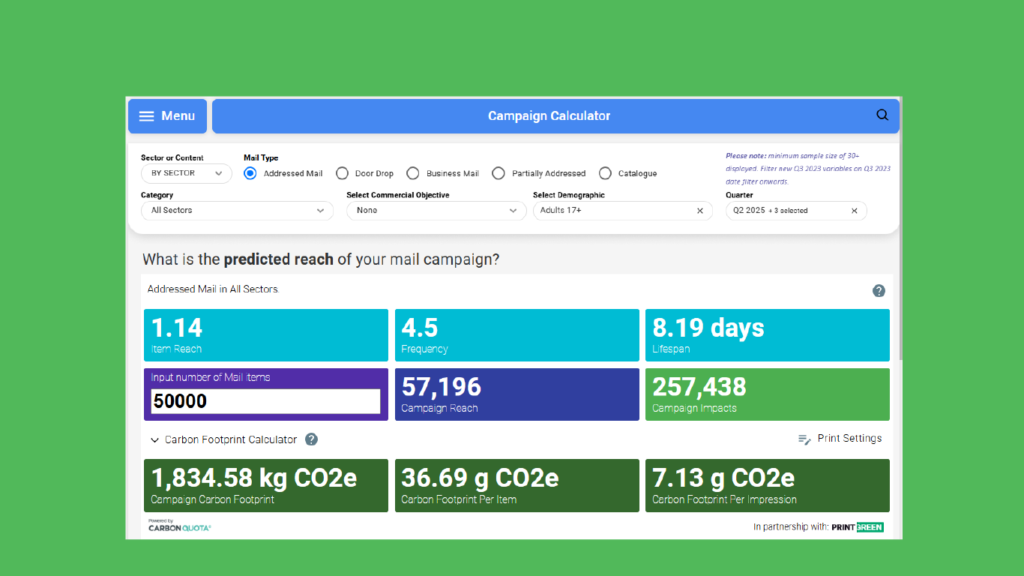
1. Demonstrate mail reach and impression delivery with the Campaign Calculator
Use the Campaign Calculator to show how mail is shared, interacted with and kept for your target sector and audience. Add your campaign volume to calculate the total impressions for your campaign.
Use the Carbon Calculator to highlight the carbon footprint of your activity.
2. Recommend an audience to target with mail
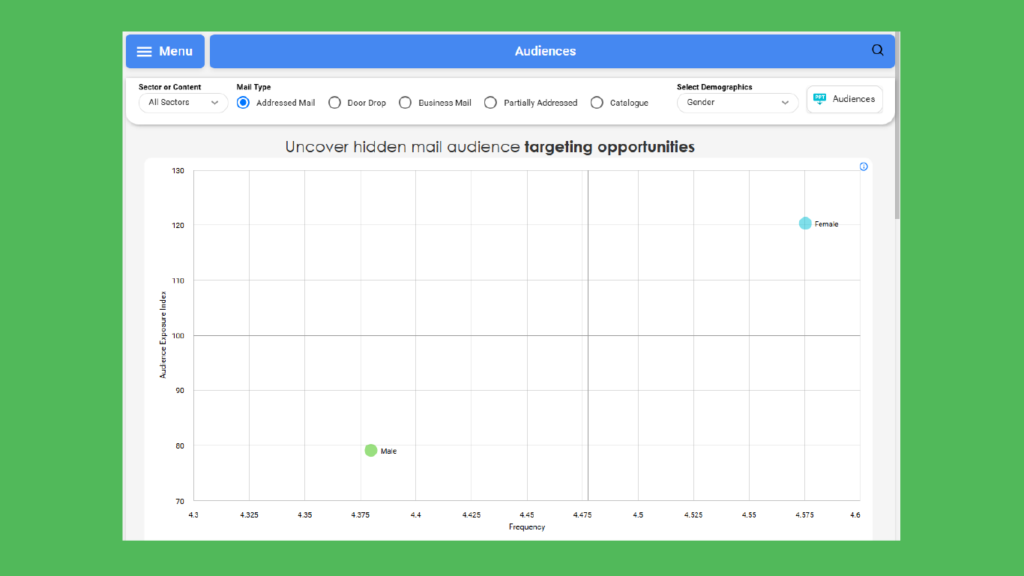
Use Audiences when you want to consider the frequency with which specific audiences interact with their mail alongside the likelihood of that audience receiving mail. This allows you to see which audiences receive less mail on average, but are interacting more frequently.
Use this to uncover new potential audiences for your campaigns.
3. Create a mail content recommendation
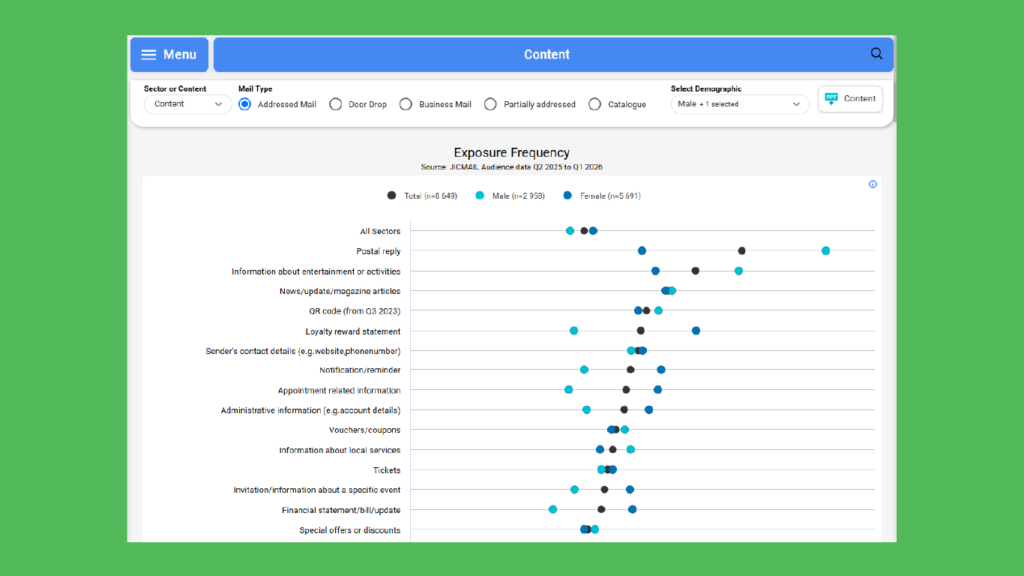
Use the Content tab when you want to compare Reach, Frequency, Lifespan, Exposure and Attention for either different types of content or different sectors. Users are able to compare these metrics across mail types and drill down to compare the results for specific audience types.
Use this to inform your creative and see what content type is most useful for your audience.
4. Perform an in-depth custom analysis using the Mail Item Database
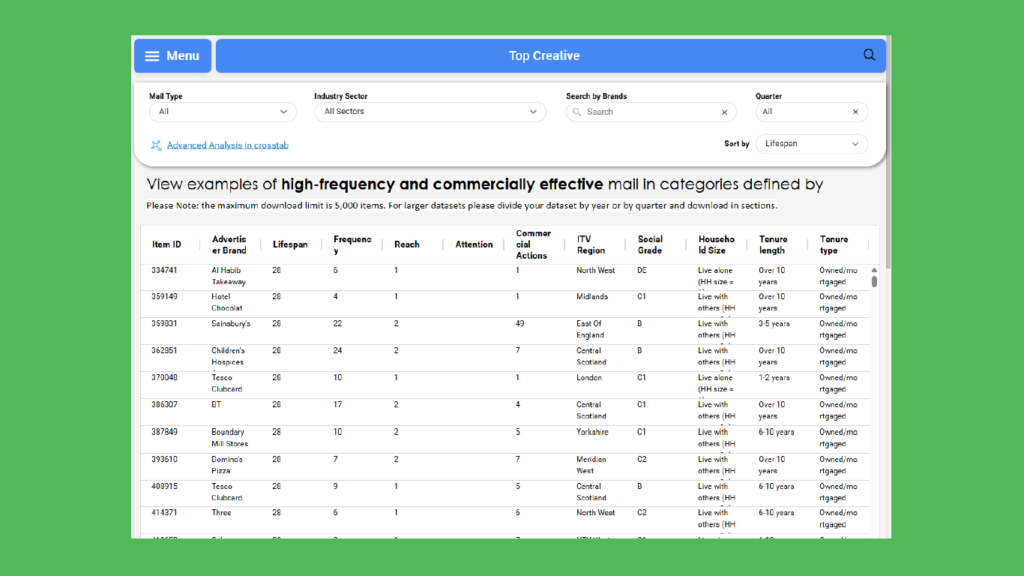
Use the Mail Item Database when you need to see the actions taken by a panellist with an individual mail item. Here you can search for mail items by brand name to reveal the activity pattern in the home over 28 days, including whether it is shared, how often it is interacted with and the physical and commercial actions it has driven.
Use this to see the full impact of a mail item and how it is generating engagement, brand building and responses.
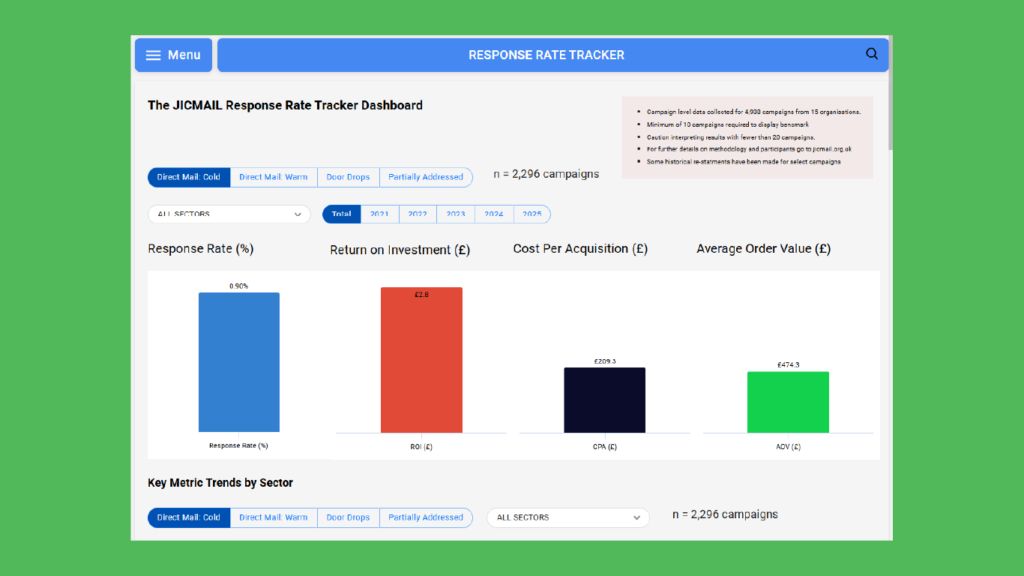
5. Benchmark mail performance and set a target using the Response Rate Tracker
Use the Response Rate Tracker tab to identify industry benchmarks for your campaign.
Choose between different sectors, trend data over time and compare the response rate, return on investment (ROI), cost per acquisition (CPA) and average order value (AOV) for different scenarios.
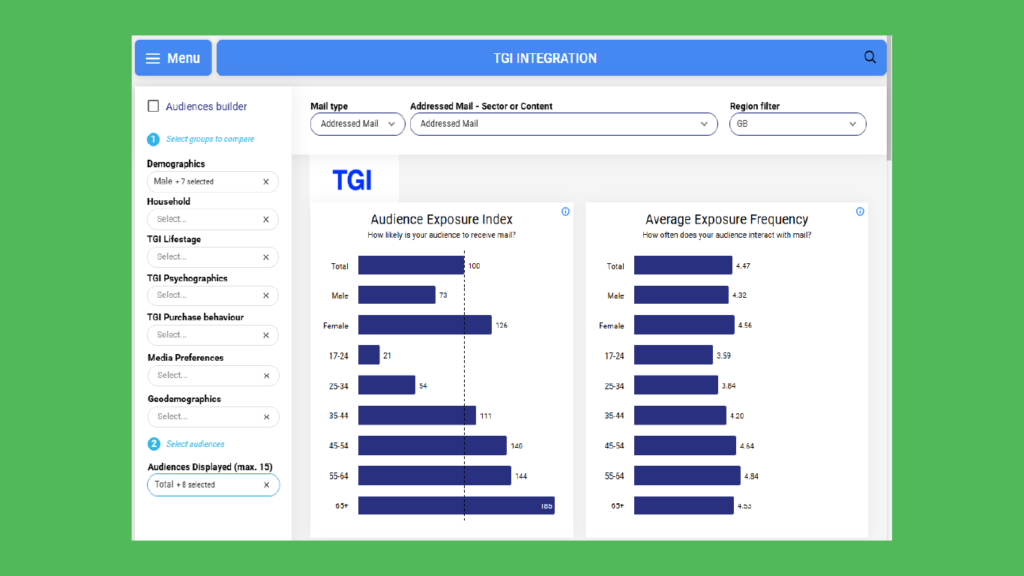
6. Assess how a bespoke audience responds to mail using TGI data
Use TGI Integration to assess mail exposure, interaction and commercial actions taken with mail across multiple audience segments including: life-stage, financial comfort, FMCG buying habits, holiday preferences, credit card ownership, consumer technology ownership, environmental engagement, automotive preferences and much more.
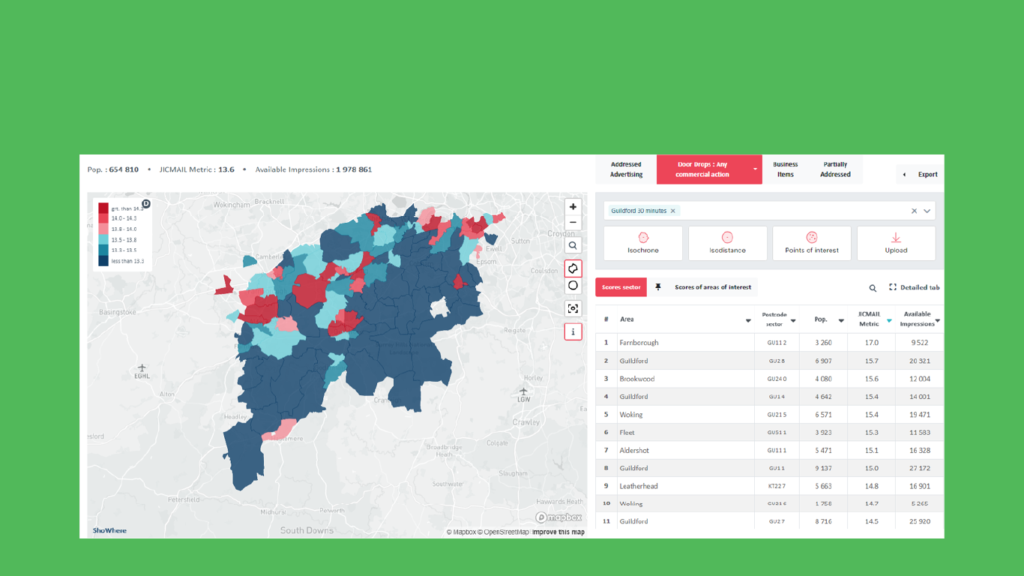
7. Assess how mail performs in specific postcode sectors using the Geo Planning tool
Use the Geo Planning tool to see how mail is engaged with in your target area. Either set your postcode parameters or upload your data to see JICMAIL metrics in map format.
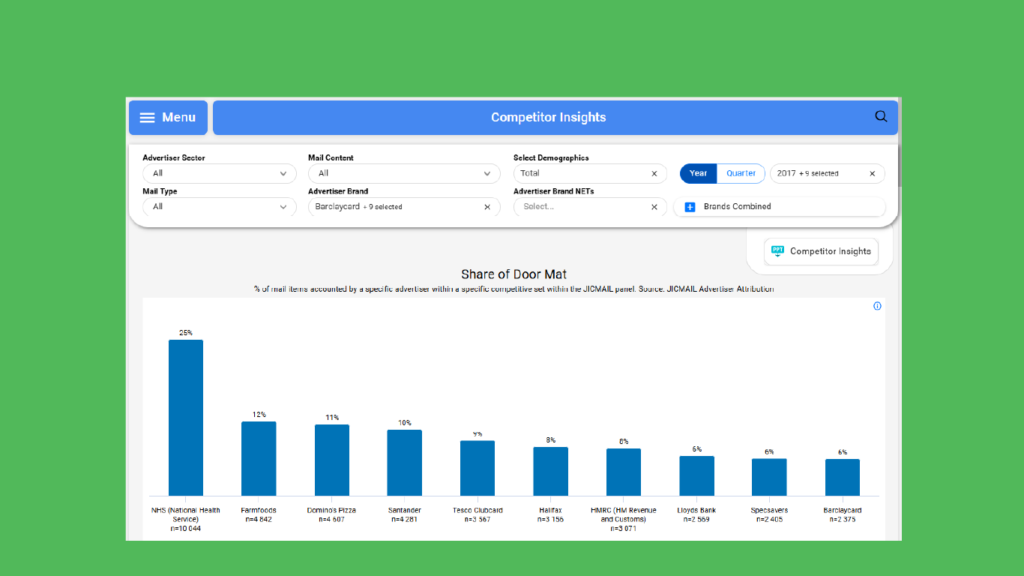
8. Create a competitive analysis to compare mail performance between brands
Use the Competitor Insights tool to compare competitor performance and see outcomes and interactions for mail campaigns across a group of companies from a specific sector. Comparison over time is also available.
Use this to benchmark performance and consider creative and testing options for improving mail campaigns.
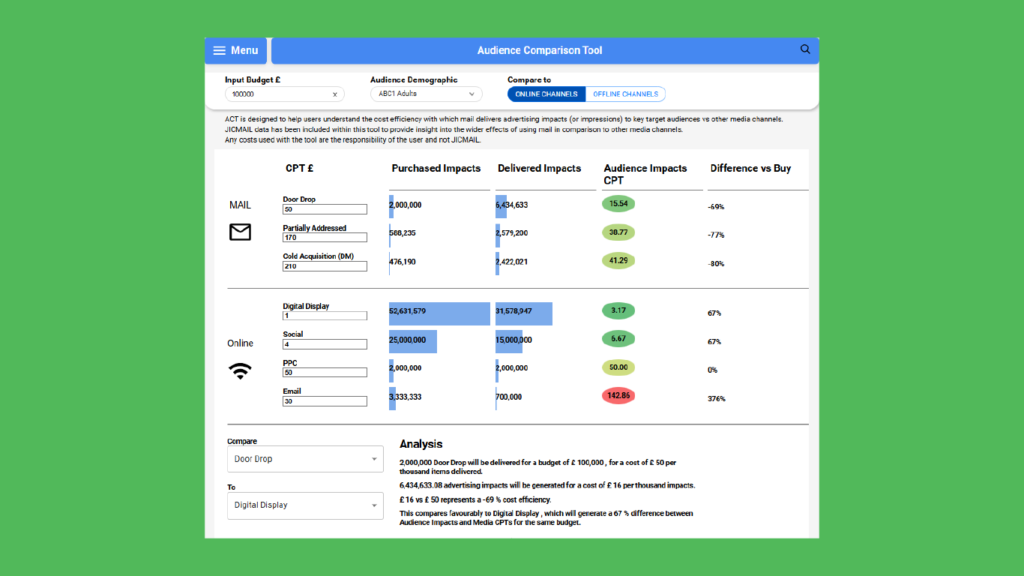
9. Create a cost comparison between mail and other channels using the ACT tool
Use the Audience Comparison Tool (ACT) to compare channels by impressions per thousand. Show a fairer comparison of mail against online or offline media.
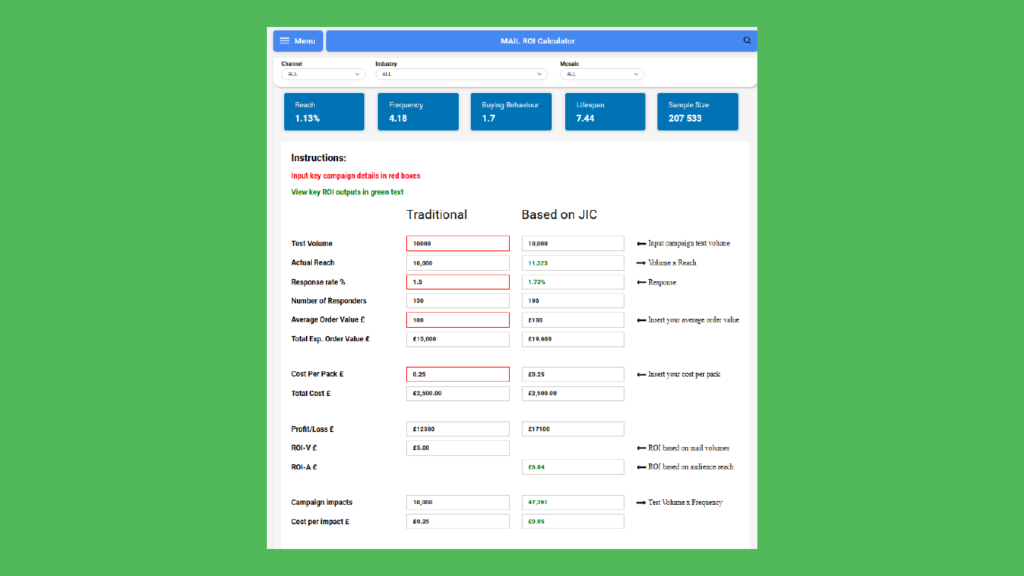
10. Build an ROI case for mail with the ROI Calculator
Use the ROI Calculator to see the return on investment for your campaign. See the additional reach predicted through use of JICMAIL data compared to traditional assumptions on how mail interaction works.
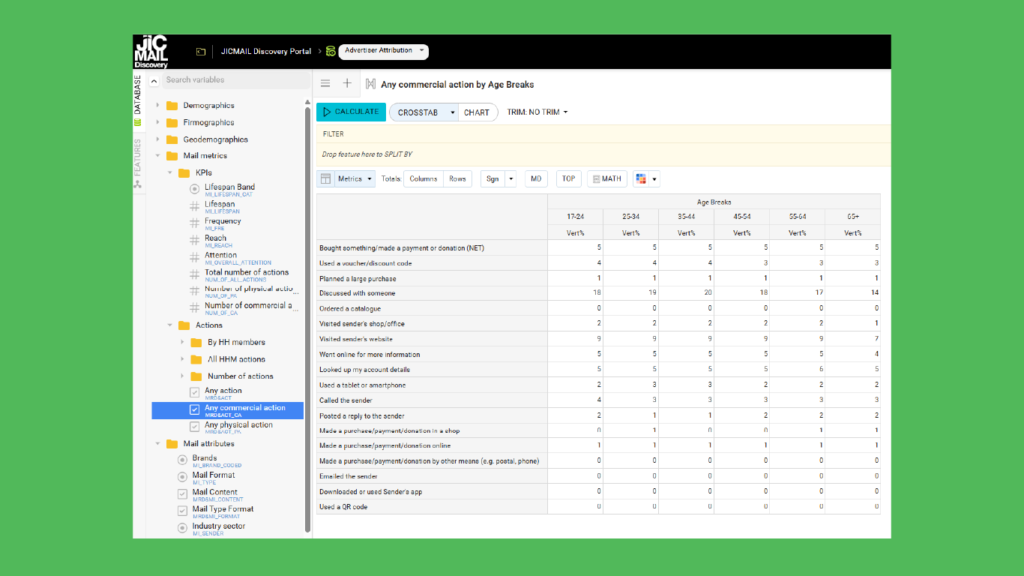
11. Uncover new mail insight using Advanced Analytics
Use Advanced Analytics when you want to dig deeper into JICMAIL’s mail item and advertiser databases.
Using industry leading cross-tabbing software, you can create customised groups of variables to generate performance benchmarks across different mail types, sectors and brands, while assessing what content types will resonate with hundreds of completely customisable target audiences.
12. Produce a JICMAIL case study
Show your business use of JICMAIL data through explaining the challenge, solution and result of a recent mail campaign.